
Dashboard & Opening Schedule
Organizer command center guide: KPI summary, today's due tasks, and opening schedule.
Dashboard & Opening Schedule
The Dashboard (Tổng quan) screen serves as the central command center for organizers in the Huio application. Here, financial summaries, collection progress, and group opening schedules are aggregated in real time.
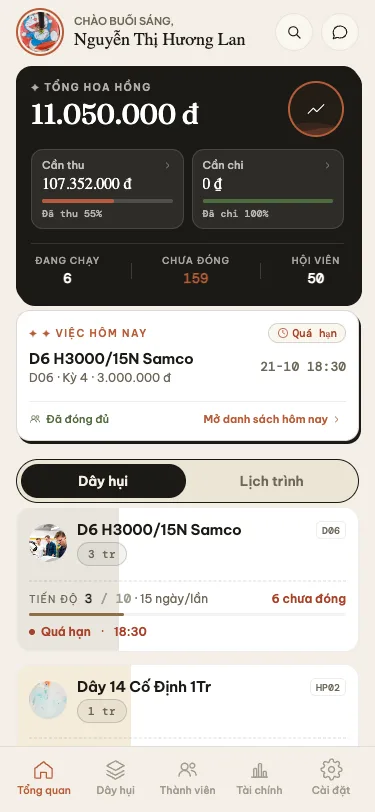
1. Aggregated Financial KPI Cards
Positioned prominently at the top of the Dashboard, the dark metrics card provides critical operational numbers:
- Total Host Commission (Tổng hoa hồng thảo): Cumulative commission revenue earned by the host across all settled periods.
- Due Inflow (Cần thu): Total contributions required from members across all currently open periods, paired with a visual collection completion bar.
- Due Outflow (Cần chi): Net payout amounts payable to winning members this cycle.
- Active Groups (Đang chạy): Count of ongoing hui groups.
- Unpaid Slots (Chưa đóng): Total slot instances awaiting payment.
- Total Members (Hội viên): Total active participants registered in your organizer network.
2. Today's Due Card (Việc hôm nay)
Each morning, Huio audits all active groups and highlights tasks for the current day:
- Highlights groups holding an opening session or expecting dues today, including opening time and target collection pool.
- Displays a red Overdue (Quá hạn) pill if previous cycles have pending dues.
- Tap Open Today's List > to access the granular collection breakdown.
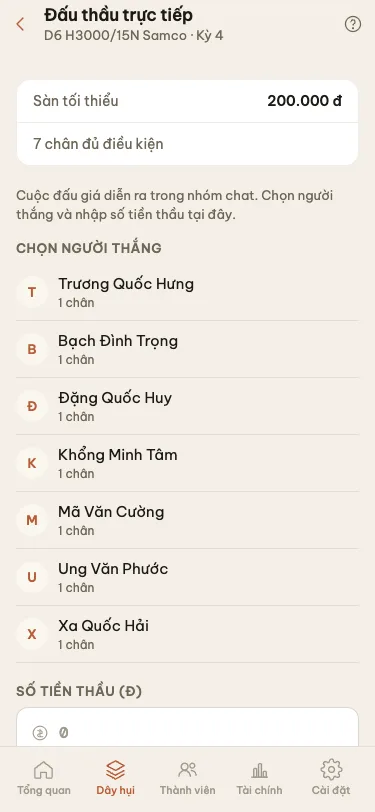
3. Opening Schedule Sub-Tab (Lịch trình)
Adjacent to the active groups list, organizers can switch to the Schedule (Lịch trình) tab for calendar planning:
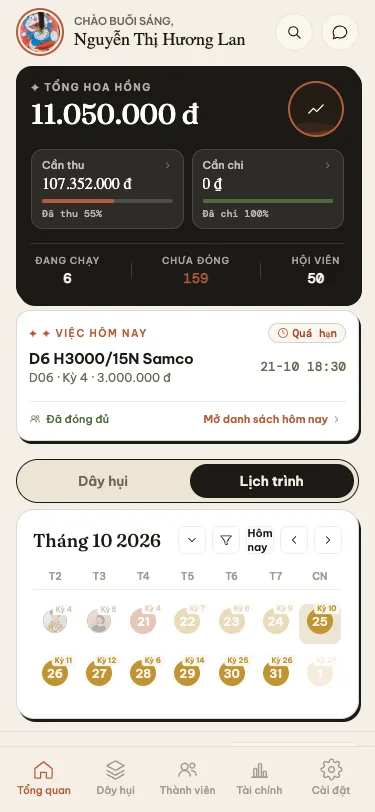
- Monthly View: Days with scheduled group openings are highlighted with visual dots.
- Day Filtering: Tap any date on the calendar to see the exact roster of groups opening on that day, scheduled hours, and base share amounts.
- Export Daily Schedule: Tap the export button to generate a clean, printable daily collection agenda for agents on the road.
4. Quick Action Shortcuts
- Quick Create Button (+): Allows organizers to spin up a new hui group directly from the main view.
- Global Search Icon: Located in the top header, providing immediate search across members, phone numbers, and group titles.
Frequently Asked Questions
1. Why does the "Due Inflow" amount on the Dashboard differ from an individual group's pool?
The Dashboard metric aggregates dues across all active groups currently open for collection, whereas an individual group's screen only reflects its own cycle pool.
2. What does the green "Fully Paid" checkmark indicate on Today's Due card?
Once all participants in today's active cycle have settled their contributions and been checked off (✓), the card displays "Fully Paid", confirming zero outstanding arrears for the day.